
MT4 and MT5 server setup, hosting and management
Hand us the
MetaTrader environment.
Setting up, hosting and running an MT4 or MT5 server takes specialist time most brokers do not have in-house. We do it for you: server setup and sizing, hosting, migration, live and demo environments, access, backups and disaster recovery, then administration and support after go-live. Your desk works on the book, not on the server.
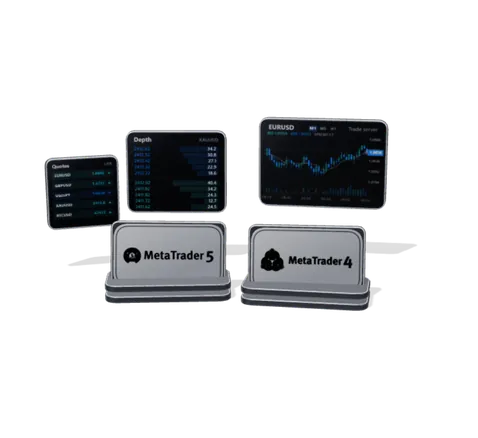
How a MetaTrader 5 environment is wired.
Access, trade, history and backup servers, the gateway to liquidity and the terminals your clients use: the parts we set up, connect and keep running.

Setup and migration, done for you
A new MT4 or MT5 environment, or a move from your current one, with accounts, groups, symbols and history intact. We plan, rehearse and run the cutover; you approve the window.
Administration after go-live
Groups, symbols, leverage, sessions, plugins and access kept in order as an ongoing service. Platform admin stops being a side job for your operations lead.
Built for a bad day
Access architecture, backups, replication and a disaster-recovery environment are part of the build. We test the restore instead of hoping it works.
The MetaTrader services we run for you.
Setup, configuration, monitoring and support across every MT4 and MT5 server that carries your book.



MT4 and MT5 server setup
A production MetaTrader environment is more than one server: trade, access and history services, manager and administrator access, and a demo kept apart from live so a test never touches the book. We size each part against your expected accounts, symbols and history, place it for where your clients and liquidity actually connect from, and hand it over documented.
- MT4 and MT5 server deployment
- Live and demo environments, kept separate
- Access servers placed by client region
- History and reporting services
- Sizing against expected accounts and instruments
- Configuration documented at handover
MT4 and MT5 server hosting
MetaTrader servers run on Windows Server, on dedicated hardware or cloud virtual machines. What decides between them is latency to your liquidity providers and your clients, where your regulator expects data to sit, and how quickly the environment has to be resized or duplicated for recovery.
- Dedicated hardware or cloud virtual machines
- Twelve locations across Europe, Asia Pacific and North America
- Placed for latency to your liquidity providers
- Access points in the regions your clients trade from
- Production, demo and disaster-recovery environments
MetaTrader migration and cutover
Moving a platform is a scheduled operation with a rehearsal and a way back. We move accounts, groups, symbols, open positions and history with the environment, and agree the cutover window with you before it starts.
- Server-to-server and datacentre-to-datacentre moves
- Accounts, groups, symbols and history carried over
- Rehearsed cutover with a rollback path
- Client-facing communication planned around the window
- Post-migration verification against the previous environment
MT4 and MT5 server management
The day-to-day of a trading platform: the segment that needs different leverage, the symbol that needs a session change, the plugin that needs updating, the account that needs moving. We handle it as a service and record every change.
- Group, leverage and margin configuration
- Symbol, session and trading-hours maintenance
- Plugin and server configuration management
- Manager and administrator access control
- Change records with an author and a reason
MetaTrader APIs and integrations
Everything we build against MetaTrader uses the platform's own published interfaces. Nothing is scraped from a terminal and nothing depends on a screen staying open on someone's desk.
- Manager API for accounts, groups, symbols and deals
- Gateway API for quote and order routing
- Web API for client-area and third-party surfaces
- Reporting extracts that do not load the live server
- Applications written against these interfaces on request
MetaTrader backup, DR and monitoring
We watch the environment and keep the recovery path real. Backups run on a schedule, a disaster-recovery environment stays ready, and the failover procedure is written down and rehearsed instead of improvised.
- Scheduled backups with tested restores
- Primary and DR environments
- Replication between sites
- Platform, service and session monitoring
- Failover procedure, rehearsed
MetaTrader technical support
Your environment stays with the team that built it. You raise a ticket, a named engineer owns it, and it escalates on a defined path — handled by the people who know how your server was configured.
- Ticket-based platform support
- Named technical contacts
- Incident tracking and escalation
- Troubleshooting against your own configuration
- Dedicated Slack or Microsoft Teams channel where the engagement warrants it
From terminal to liquidity.
Terminals, access servers, trade servers, bridge and liquidity, and the activity running through them across the year.
trades routed through the servers we run in the last year
Platforms we work with
- MetaTrader 5
- Deployment, migration, administration and support.
- Operated
- MetaTrader 4
- Deployment, migration, administration and support.
- Operated
- cTrader
- Accounts and trading data through Open API.
- Integrated
- Other platforms
- DXtrade, Match-Trader, TradeLocker and TraderEvolution can be integrated where the platform exposes an interface.
- On request
- Bridges and gateways
- Connected and configured against your execution stack.
- Integrated
MT4 and MT5 servers, answered.
What does an MT4 or MT5 server setup include?
A working MetaTrader environment is a set of services rather than one machine: the trade server that holds accounts and applies your configuration, the access servers your clients' terminals connect to, history and reporting services, and the manager and administrator access your team works through. A setup also covers groups, symbols, leverage and sessions, the bridge or gateway to your liquidity, a demo environment kept apart from live, backups and monitoring. We deliver it configured and documented, so it can be run by someone who did not build it.
What are the server requirements for MetaTrader 4 and MetaTrader 5?
MetaTrader servers run on Windows Server. The hardware they need is not one fixed figure: it follows from the number of accounts and symbols, trading volume, how much history is kept and how many access points clients connect through. We size the trade, access and history services against your expected load with headroom, and revisit the sizing as the book grows rather than buying for a peak that may never come.
Should MetaTrader be hosted on dedicated servers or in the cloud?
Both work. Dedicated hardware gives fixed, predictable performance; cloud virtual machines are quicker to provision and easier to resize or duplicate for disaster recovery. The choice usually turns on latency to your liquidity providers, where your clients trade from and where your regulator expects data to sit, and a mix of the two is common. We set out the options for your case before anything is bought.
Do we need our own MetaTrader licence to run a server?
Not to launch. On a white label your brand runs on a platform another company hosts and holds the licence for, and you do not operate the trade server yourself. With your own licence you run your own server, with control over groups, symbols, plugins, the bridge and where it is hosted; that is where server setup and hosting apply in full. Licensing terms are set by MetaQuotes and change over time, so check what is currently available before planning around either path.
Should a new brokerage run MT4 or MT5?
MT5 covers more asset classes, supports both netting and hedging account modes and is the platform MetaQuotes actively develops. MT4 still matters where your traders depend on expert advisors and indicators written for it. What licensing makes available to a new brokerage today often settles the question before preference does.
How long does an MT4 or MT5 server setup take?
It depends less on the servers than on what surrounds them: licensing, the liquidity connection, the number of groups and symbols, and whether accounts are being migrated from another environment. We give a dated plan after reviewing your setup, and the technology work can run in parallel with licensing if it is planned early.
Can you take over an MT4 or MT5 server someone else set up?
Yes, without redeploying it. We review and document the environment as it stands, including configuration, groups and symbols, access architecture, backups and monitoring, then take it over for day-to-day management. Anything that needs fixing comes out of that review as a plan, not as a condition of working together.
What it connects.
Reached through each system’s own interface, so nothing has to be replaced to be included.
Trading platforms
Accounts, groups, symbols and execution through the platform's own manager interface.



Infrastructure
Deployed to your cloud account or ours, on managed components rather than bespoke ones.




Marks shown are the property of their respective owners and indicate technical compatibility. They are not a claim of partnership or endorsement.
